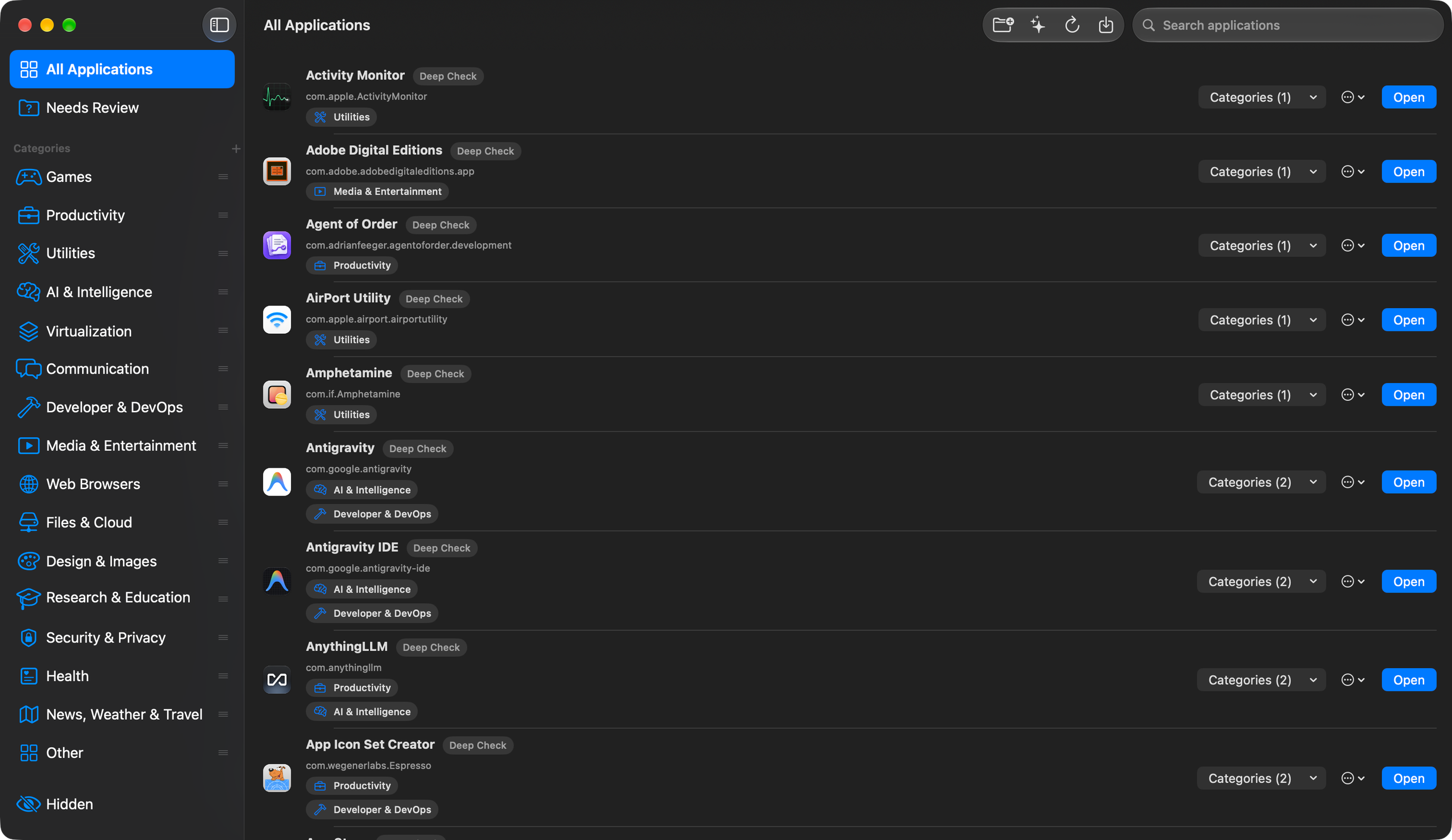
CatApps organises installed apps into categories. You can change the categories and app order, add favourites, and open apps from the Dock, menu bar or Finder.
See CatApps in use
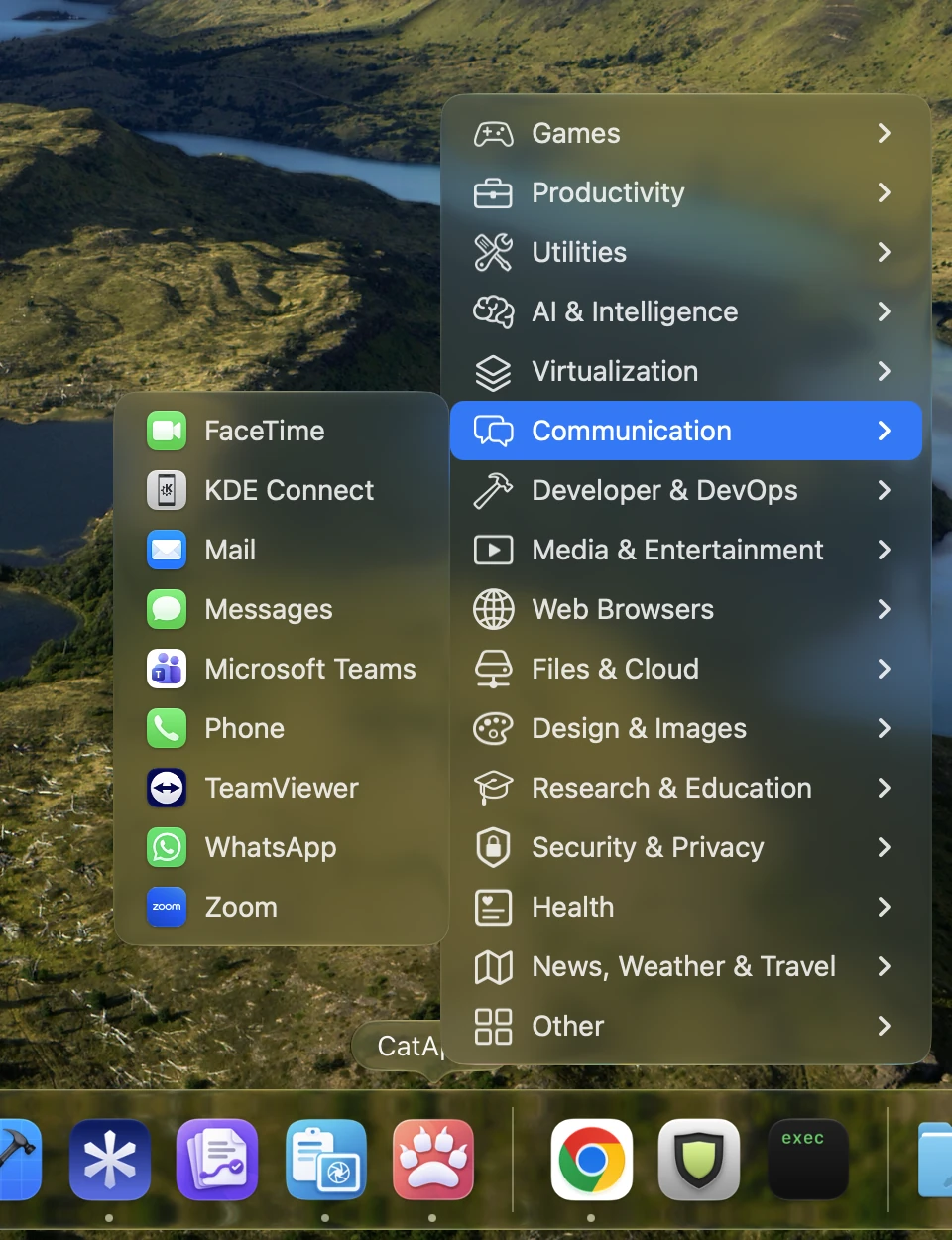
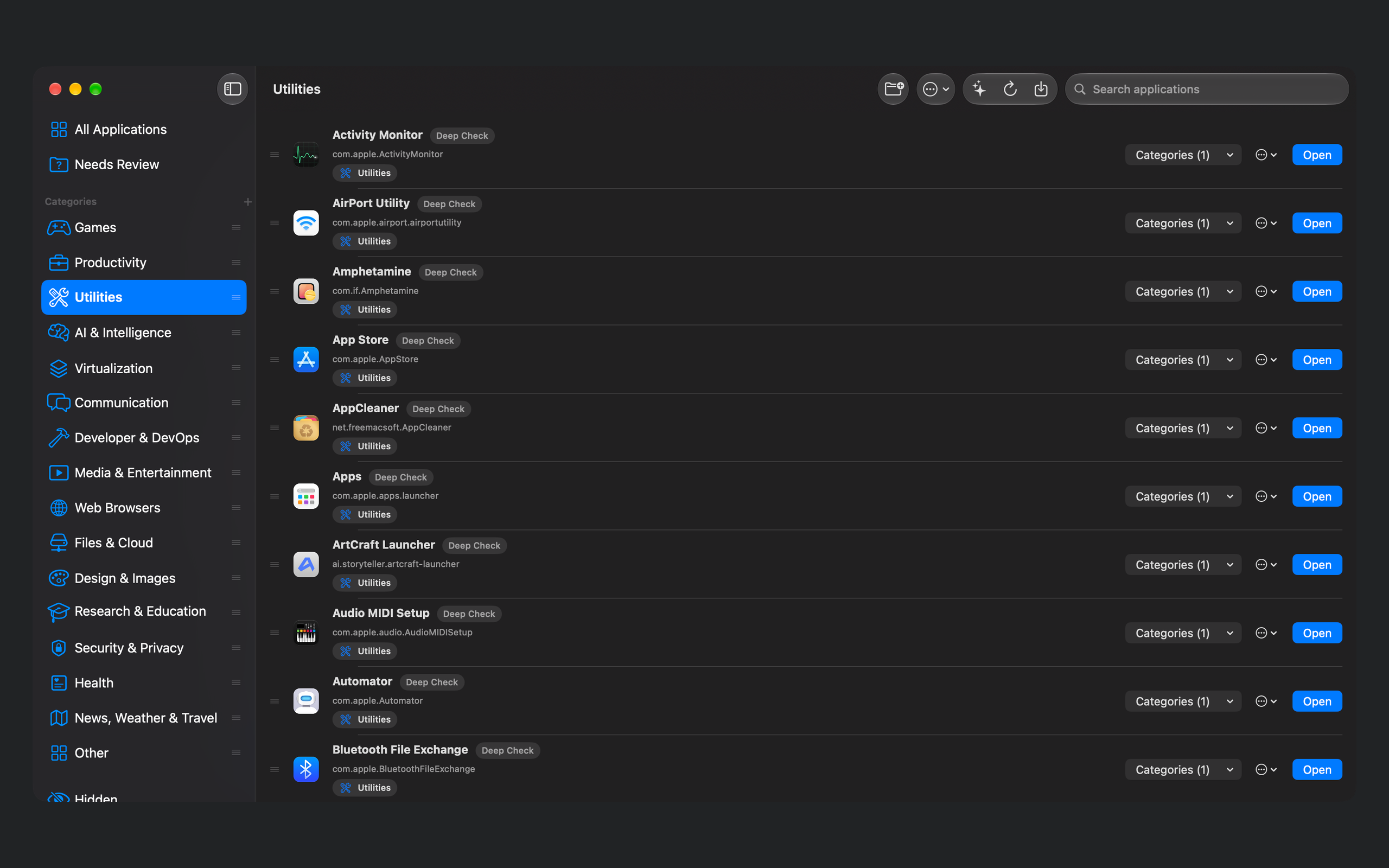
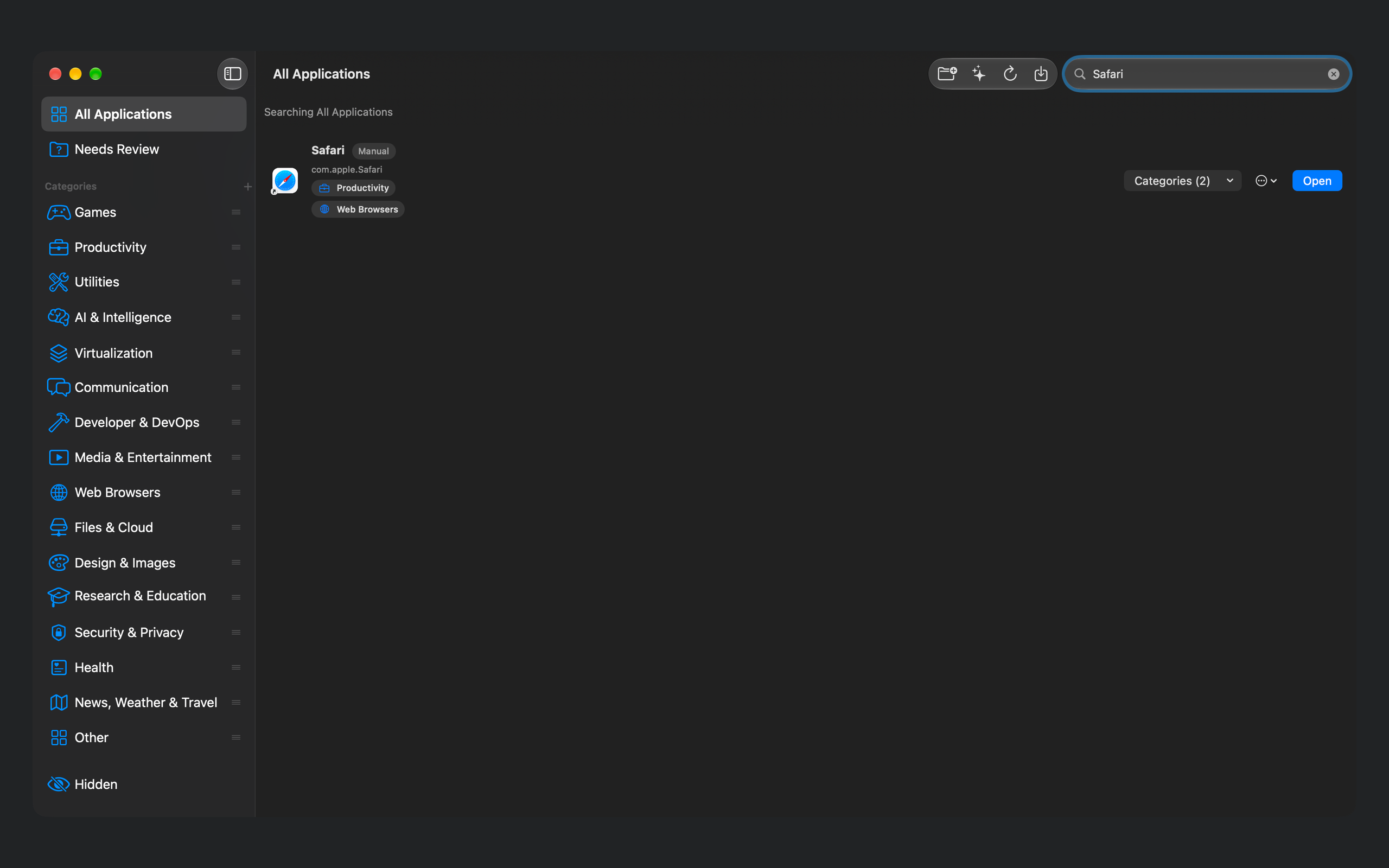
Open a category from the Dock and choose an app.Browse the apps in a category and see where each one belongs.Search across your library, including apps assigned to several categories.
An app library you can shape
Start with automatic categories, then make the organisation your own.
Find installed apps and keep up with changes
CatApps scans the standard Applications folders and can include other folders you choose. It watches accessible app folders for installation changes and refreshes the catalogue. Needs Review brings together apps that still lack a useful category.
Categories that fit how you work
Put an app in more than one category, create your own categories, and arrange categories and apps in the order you prefer. Manual assignments survive refreshes and Deep Check. Favourites have their own order while staying in their usual categories.
Organise several apps at once
Select several apps to add them to a category or move them from their existing categories. Drag a selection onto a category to add it. Undo and Redo cover supported organisation changes during the current session; imports, category edits and quitting limit that history.
Reach your apps where you work
Use the management window for organising and the quick menus for opening apps.
Dock and menu-bar launching
Browse categories and favourites from either quick menu. Choose what a Dock click does and adjust quick-menu icon sizes. Hold Option to reveal an app in Finder. You can hide either the Dock or menu-bar icon while keeping the other available.
Search, names and icons
Search within a category or across visible apps, using original or custom display names. Give an app a custom icon or hide it from your everyday views. These presentation changes leave the installed application unchanged.
Your categories in Finder
Choose a folder and CatApps creates category folders containing native Finder aliases to your apps. The aliases follow your organisation as it changes. You can add the managed folder to the Dock, and CatApps preserves unrelated files in the chosen location.
Inspect and keep your organisation
Look more closely at an unfamiliar app, or save the work you have put into your library.
App Information without launching
Inspect the installed app's version and available developer and signing details. Further technical information is available when you need it. Online information is fetched only when you request it.
Optional Deep Check
Research an app through public sources to help categorise it. Deep Check sends its name and bundle identifier online and can read matched official product pages. On supported Macs it uses on-device Apple Intelligence; otherwise it scores the research locally. Your manual category choices remain in control.
Save and restore your setup
Export a portable organisation package with categories, assignments, favourites, hidden apps, names, ordering and custom application icons. Import with Merge or Replace. Settings tied to a particular Mac, such as the alias-folder location and Dock behaviour, stay separate.
Trial and purchase
The free seven-day trial starts when you choose Start 7-Day Trial in the app. It includes every feature and does not renew automatically. Continued full use requires a one-time in-app purchase. There is no subscription.
After the trial, CatApps keeps your organisation data. Launching and management require the full unlock. Help, Settings, diagnostics and Restore Purchases remain available.
Use Restore Purchases in the app to check purchases made with your Apple Account.
System requirements
Requires macOS 14 or later.
Optional Apple Intelligence features require macOS 26 or later and a compatible Mac with Apple Intelligence available.
 Adrian Feeger